
Profile-based desktop environment manager for Windows
Bundle configurations for Rainmeter, YASB, GlazeWM, Zebar, Wallpaper, and Windhawk into profiles. Apply any profile with one click.
Windows 11 x64 · MSI installer · Auto-updates
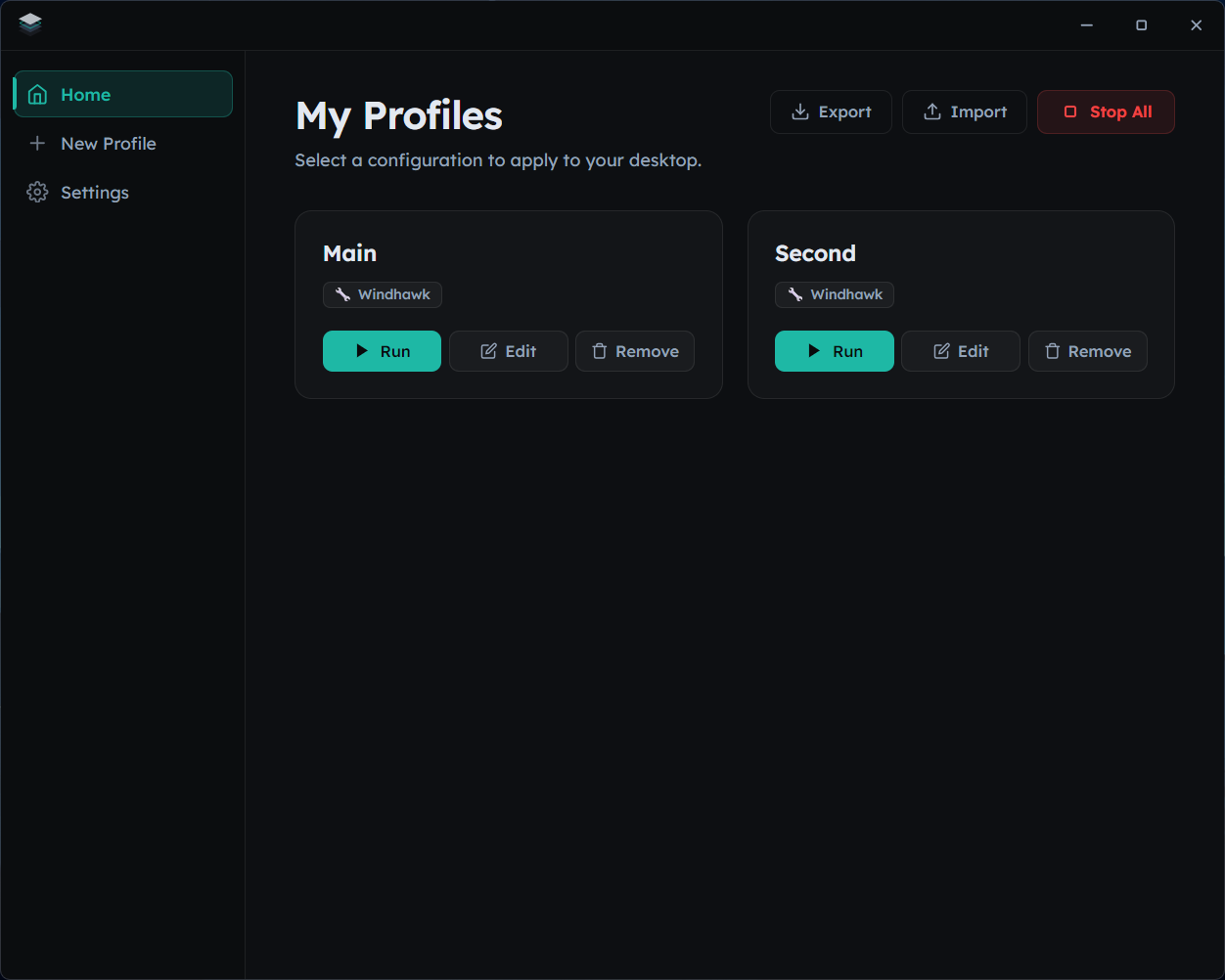
How It Works
Three simple steps to a fully customized desktop.
Create Profile
Give your profile a name and select which tools to include. Each profile is a complete desktop blueprint.
Configure Tools
Set up each tool exactly how you want it — Rainmeter layouts, YASB styles, GlazeWM workspaces, and more.
Apply
Click Run on any profile to switch your entire desktop environment. Everything changes at once.
Supported Tools
Kalam manages every aspect of your desktop setup through a single interface.
GlazeWM
Window manager config. Swap between tiling layouts and workspace setups seamlessly.
YASB
Config YAML + styles CSS injection. Full control over your taskbar appearance and behavior.
Rainmeter
Layout selection and activation. Pick from your installed Rainmeter layouts and apply them instantly.
Zebar
Status bar settings. Customize system monitors, clock, and quick-access widgets.
Wallpaper
Desktop background across virtual desktops. Set unique wallpapers that persist per profile.

Windhawk
Mod enable/disable + per-mod settings. Fine-tune Windows shell mods without manual registry edits.